
Why VRAM Is the Bottleneck of Modern AI
When developers build or run large language models (LLMs), they focus heavily on processor core counts or clock speeds. In practice, however, your system’s performance is almost entirely dictated by a different metric: Video RAM (VRAM) capacity and speed.
To run an AI model locally or host it in the cloud, the entire weight matrix of that model must reside directly in the GPU’s physical memory. If the model size exceeds your VRAM capacity by even a single megabyte, the system will crash, or offload layers to standard system RAM, dropping your token speeds by over 90%.
Understanding how to calculate your memory footprint, size your KV cache, and choose between standard VRAM and High Bandwidth Memory (HBM) is the most critical technical skill in AI engineering. This guide explains the exact mathematics of AI memory to help you avoid expensive sizing failures.
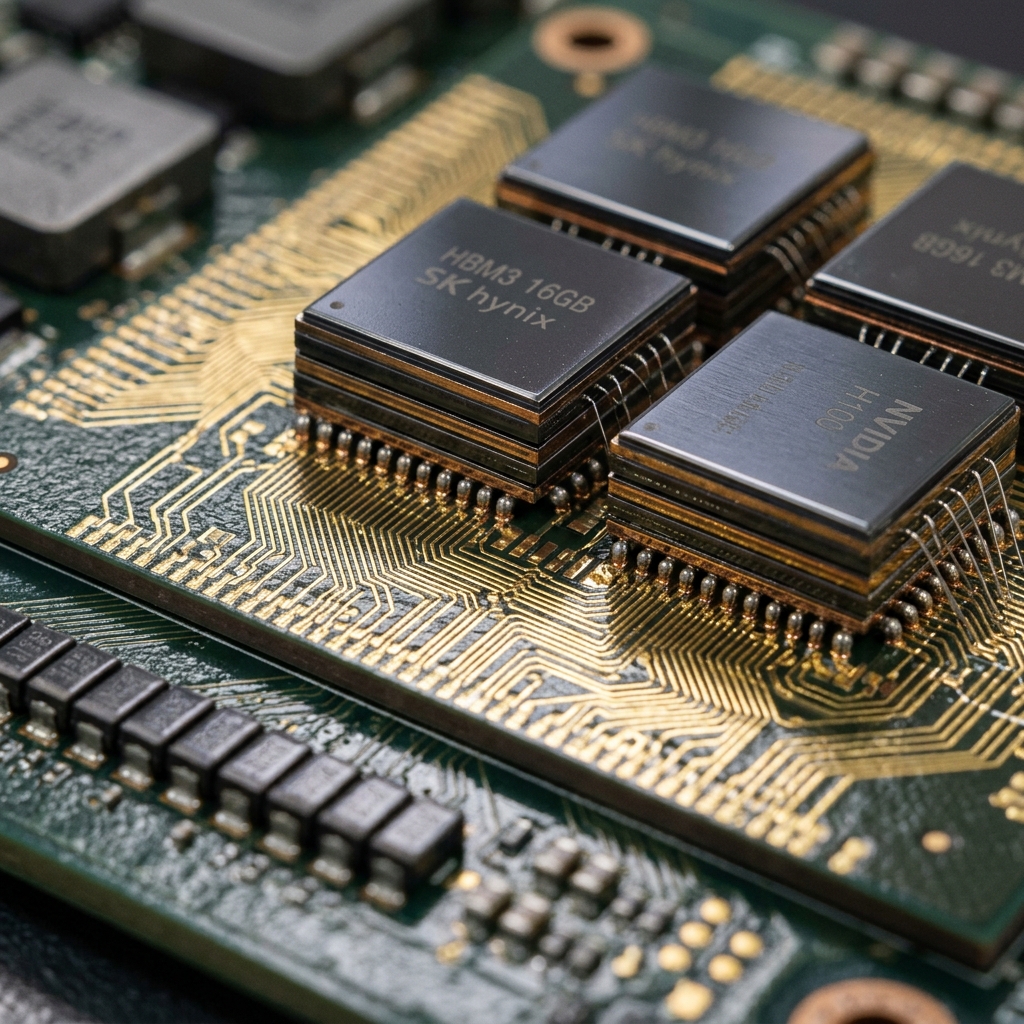
Video RAM (VRAM) chips must hold the entire model weight matrix to ensure fast, continuous generation speeds.
VRAM vs System RAM vs HBM: Sizing the Speed Gap
Why can we not simply run AI models out of our standard system RAM? The answer lies in bandwidth – the size of the physical pipe that connects your memory to the calculation cores.
A CPU reads and writes data to DDR5 system RAM over a thin, sequential bus. This setup achieves bandwidth speeds of 60 to 100 GB/s – excellent for standard tasks, but far too slow to stream billions of parameters to processor cores. A GPU uses GDDR6 VRAM connected by a wide bus, achieving speeds of 1,000 GB/s.
Data centre GPUs (like the Nvidia A100 or H100) stack memory dies vertically on the interposer chip itself. This architecture, High Bandwidth Memory (HBM), shortens physical distance to achieve bandwidth speeds of 2,000 to over 4,800 GB/s, unlocking maximum token generation rates.
| Feature | Graphics Card VRAM (GDDR6) | Data Centre Memory (HBM3e) |
|---|---|---|
| Physical Structure | Individual chips soldered onto the board around the GPU | Vertically stacked dies integrated on the main silicon substrate |
| Typical Bandwidth | 300 to 1,000 GB/s | 2,000 to 4,800+ GB/s |
| Max Capacity | 16GB to 24GB on consumer, up to 48GB on workstation | 80GB to 141GB per physical processor unit |
| Cost Profile | Economical. Found in consumer and office GPUs (£300 – £2k) | Extremely expensive. Enterprise data centre systems only (£10k+) |
How to Calculate Sizing: The AI Memory Formula
Sizing your GPU requirements requires standard algebra. You must account for two distinct memory allocations: base model weights and the active run-time context buffer.
First, calculate base weights. An AI model parameter is stored as a number. In full 16-bit precision (FP16 or BF16), every parameter takes up 2 bytes of memory. Therefore, a 70-billion parameter model (70B) in FP16 requires exactly 140 GB of VRAM just to load the weights.
Second, allocate the runtime buffer. When running inference, the GPU needs extra memory to hold the Key-Value (KV) cache – the records of the conversation history. The KV cache grows linearly with context length, batch size, and the number of layers. As a rule of thumb, you must add a 20-30% buffer to the base weights to prevent out-of-memory errors during long chats.
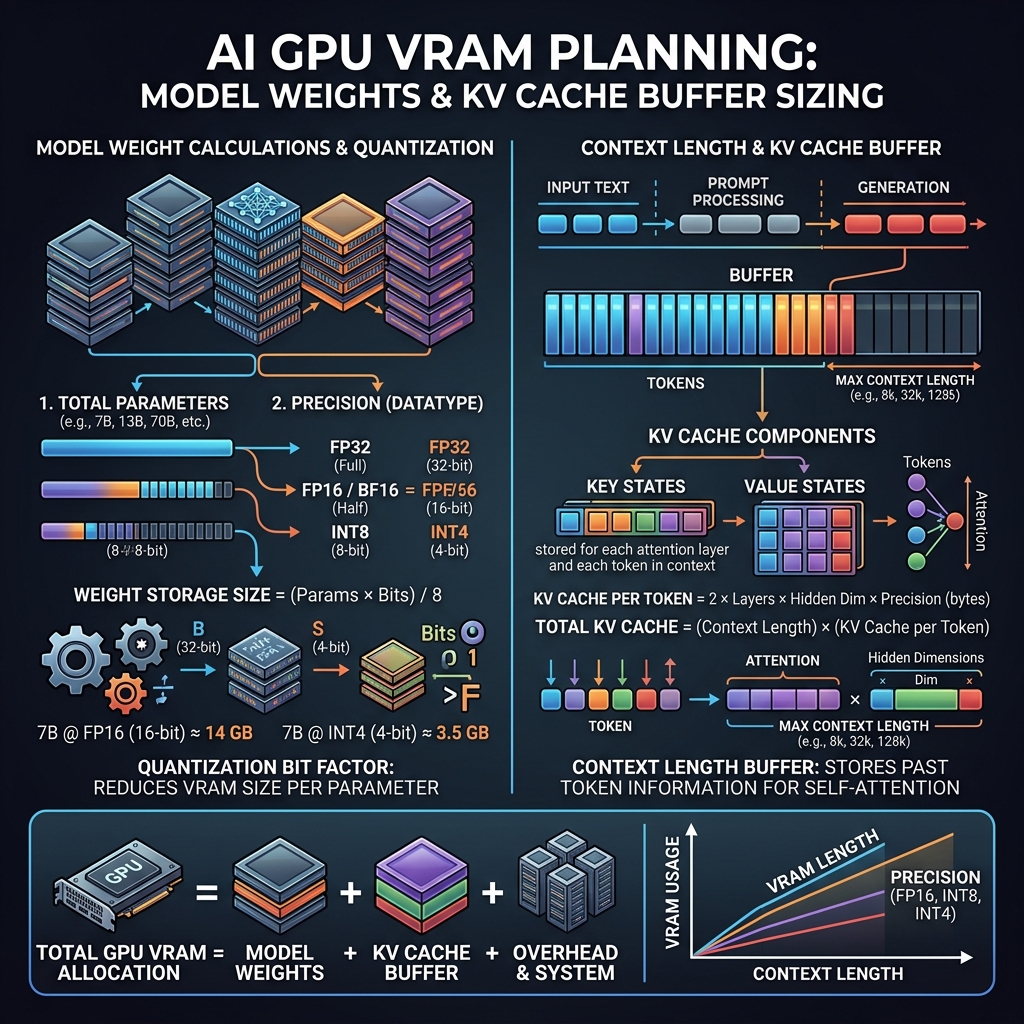
The VRAM calculation pipeline: Model parameter count multiplied by precision byte size, plus context window buffers.
VRAM Requirements for Popular Models
To help you size your next deployment, here is a practical lookup table of popular open-weights models, their quantization levels, and the exact VRAM capacity needed to run them:
| Use Case | What It Does | Business Value |
|---|---|---|
| Llama 3.1 8B (FP16) | Uncompressed high-accuracy small assistant | Requires 18 GB VRAM. Fits on a single RTX 3090 / 4090 card |
| Llama 3.1 8B (INT4 Quantized) | Highly compressed local assistant for laptops | Requires 6 GB VRAM. Runs smoothly on basic office laptops or NPUs |
| Llama 3.1 70B (INT4 Quantized) | Compressed enterprise-grade logical reasoning engine | Requires 43 GB VRAM. Fits on dual RTX 3090/4090 workstations |
| Mistral Large 123B (INT4 Quantized) | High-capacity reasoning and document analysis | Requires 75 GB VRAM. Requires a dual RTX 6000 or enterprise workstation |
| Mixtral 8x7B MoE (FP16) | Mixture of Experts model with high generation speed | Requires 96 GB VRAM. Fits on a dual A100 or quad-GPU local rig |
HBM Architecture: Why Stacking Memory Wins
Why can we not build an RTX 4090 with 141GB of VRAM? The limitation is physical board space. Standard GDDR6 memory chips are flat, soldered around the central GPU chip. Stacking more chips requires a larger board, longer electrical trace distances, and massive latency overhead.
High Bandwidth Memory (HBM) solves this by stacking memory dies vertically – like a high-rise building instead of single-story houses. This stack is placed directly on the silicon interposer next to the GPU chip, linked by thousands of microscopic connection traces.
By shortening physical distance, HBM can use a very wide memory bus (4096-bit vs 384-bit for GDDR6). This allows the GPU to read massive blocks of data simultaneously, which is why HBM is the architecture of choice for data centre AI cards like the H100, H200, and AMD MI300X.
Quantization: Sizing Memory Savings
Quantization is the process of compressing model weights from 16-bit float formats (2 bytes per parameter) to 8-bit (1 byte) or 4-bit (0.5 bytes) integer formats. This reduces your memory footprint by 50% to 75% respectively.
For example, a 70B parameter model in FP16 requires 140 GB of VRAM. Squeezing this onto consumer hardware is impossible. By quantizing the model down to 4-bit precision, the weight size drops to 35 GB. Adding a context buffer, the entire model runs comfortably on two RTX 4090 GPUs (48GB total).
Crucially, modern quantization algorithms (like AWQ or GPTQ) are highly sophisticated. They identify the most critical weights and preserve their precision, resulting in a negligible accuracy drop (typically under 1% for standard business tasks) while delivering huge capital savings.
What Happens When You Run Out of VRAM?
Running out of VRAM leads to one of two outcomes: a system crash or a performance collapse.
Out of Memory (OOM) error. If your runtime (such as PyTorch) attempts to allocate weights or active cache that exceeds physical VRAM, the CUDA kernel halts, terminating your application instantly. This is a catastrophic failure for production software.
CPU offloading fallback. Runtimes like llama.cpp allow you to offload overflowing layers back to system RAM. Because the GPU must wait for the CPU to fetch data over the slow PCIe slot, token speeds crash instantly from 40 tokens per second to under 2 tokens per second – rendering the software unusable for real-time customer chats.
Sizing VRAM: A Practical Sourcing Guide
When sourcing hardware, match your card selections to these workload sizes:
Single 16GB GPU (e.g. RTX 4080 or RTX 4070 Ti Super). Sized for developers running small 8B models locally for testing, coding assistants, and basic embedding generation.
Single 24GB GPU (e.g. Nvidia RTX 4090 or RTX 3090). Sized for developer workstations running 8B models in FP16 or quantized 70B models at low context lengths. The baseline standard for local AI development.
Dual 24GB GPUs (48GB total, e.g. 2x RTX 4090). Sized for office workstations running quantized 70B models with comfortable context windows (up to 8,000 tokens) at zero ongoing compute costs.
Enterprise 80GB GPU (e.g. Nvidia A100 or H100). Sized for cloud production serving, multi-user concurrency, and model training/fine-tuning pipelines where high memory bandwidth and NVLink scales are required.
VRAM and Memory: Frequently Asked Questions
Size Your Model Memory Correctly with JTech
Avoid out-of-memory crashes and slow token speeds. We help startups and enterprises calculate model footprints, configure quantization runtimes, and build optimal local and cloud GPU storage architectures.