Organise PDF pages and edit Word documents privately
JDoc is a free browser application for viewing and organising PDF pages and for viewing, creating and editing Word-compatible DOCX files. Your documents are processed locally on your device rather than uploaded to JTech.
- No account required
- No document upload to JTech
- No app telemetry
- Works on desktop and mobile
Everyday PDF and DOCX tools in one private workspace
JDoc focuses on practical document tasks without turning your file into a cloud account or a remote upload.
View and organise PDF pages
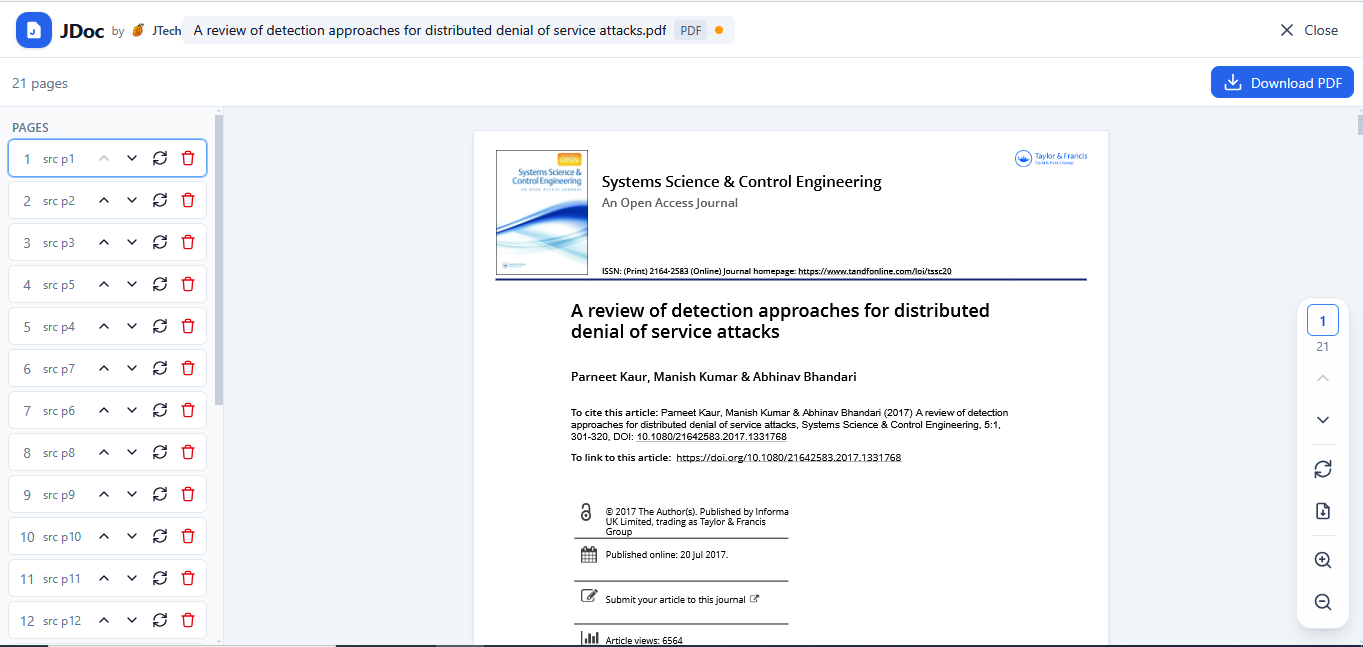
Open a PDF, review its pages and make page-level changes in your browser. JDoc works with a temporary local representation and creates the exported result on your device.
- View pages with a thumbnail rail and clear navigation.
- Zoom from 25% to 400% and fit pages to the view.
- Rotate one selected page in 90-degree steps.
- Move pages up, down, to the beginning or to the end.
- Delete selected pages while protecting the final remaining page.
- Extract one selected page as a separate PDF.
- Export the reorganised PDF locally.
JDoc organises PDF pages. It does not rewrite existing paragraph text inside a PDF.
Preview, create and edit DOCX
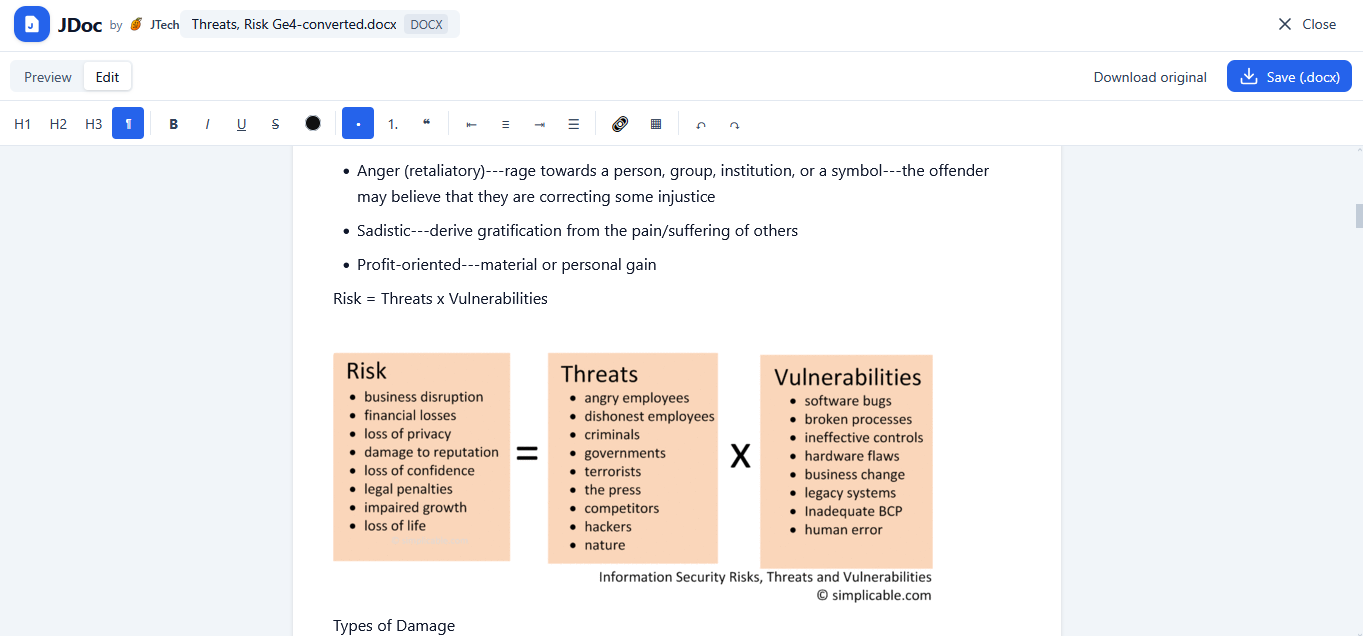
Preview an existing Word-compatible DOCX before editing, or start a new document from a blank page. JDoc checks for complex Word features and warns when conversion may change the layout.
- Preview the original DOCX before editing.
- Edit paragraphs and Heading 1–4 styles.
- Apply bold, italic, underline, strikethrough, highlight and colour.
- Create bulleted and numbered lists, blockquotes and dividers.
- Insert and edit supported tables.
- Display and embed supported inline images.
- Save locally or download a Word-compatible DOCX.
How JDoc works
JDoc brings the document-processing tools into your browser. The file does not need to be sent to a JTech document server.
Open or create
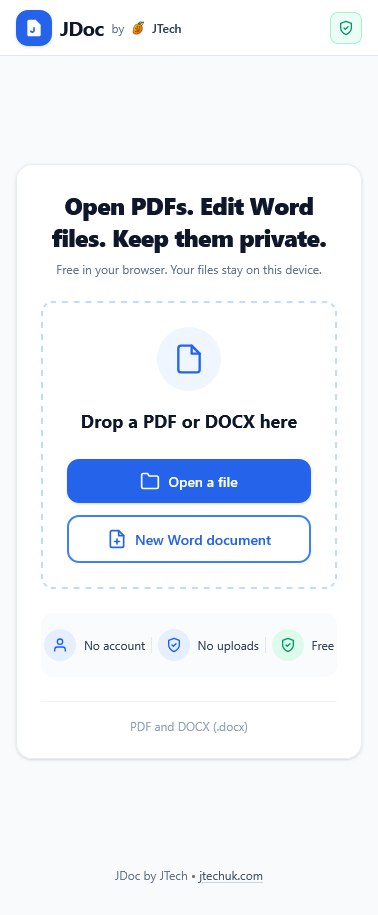
Choose a PDF or DOCX from your device, drag a supported file into JDoc, or start a new blank DOCX document.
Work locally
Your browser reads the file into local memory. Rendering, page organisation, editing and export all happen on the device.
Save or download
In supported browsers, JDoc saves to a file you choose after permission is granted. Otherwise it uses a standard browser download.
Close the document
Closing clears the document from JDoc's active state. Files you saved or downloaded stay on your device.
Your document stays on your device
JDoc is local-first by design. Document contents, images, edits, page order and generated files are processed in your browser. They are not uploaded to or stored by JTech, and are not used for advertising, profiling or AI training.
No document upload
JDoc has no document-upload workflow and no remote document database.
No app telemetry
The JDoc application uses no analytics, session recording or document-surface telemetry.
Static cache only
The installable app may cache its interface and libraries. Your documents and outputs stay outside that cache.
User-controlled files
JDoc writes a file only after you choose to save, export or download. Your device controls where it lands.
Like any website, JDoc's hosting and security providers may process limited connection data needed to deliver the application, such as an IP address, request time and browser headers. That technical delivery data does not contain document contents, filenames or edits.
Use it in your browser or add JDoc to your device
JDoc is an installable Progressive Web App. Use it immediately at jdoc.jtechuk.com, or add it to a supported phone, tablet or desktop for an app-like launch.
Desktop & Android
Open JDoc in Chrome or Edge and use the browser's Install option when it is available.
iPhone & iPad
Open JDoc in Safari, tap Share, choose Add to Home Screen, then confirm Add.
Built for common document tasks
JDoc is a focused document tool, not a full Adobe Acrobat or Microsoft Word replacement. Here is exactly what it does and does not promise.
JDoc supports
- PDF viewing and page thumbnails
- Per-page rotate, delete, reorder and extraction
- Re-exporting an organised PDF
- Previewing common DOCX files
- Creating and editing common DOCX content
- Local save where the browser allows it
- Browser-download fallback
JDoc does not currently promise
- Editing existing PDF paragraph text
- PDF annotations, signatures or OCR
- Guaranteed processing of unlimited file sizes
- Pixel-perfect preservation of every Word feature
- Legacy .doc editing
- Identical save behaviour in every browser
- Cloud sync or collaborative editing
Complex layouts, macros, tracked changes, floating shapes, advanced headers or footers, custom fonts and embedded objects may not convert exactly. Review the JDoc compatibility warning and check the saved result before replacing an important original.
Frequently asked questions
Built by JTech
JDoc is one example of JTech's privacy-first product engineering: practical web applications, clear user controls and deliberate data boundaries. If your business needs a focused web platform, personal AI app or custom workflow, explore JTech's development services.
Open the document, not a new account
Use JDoc free in your browser to organise PDF pages or create and edit DOCX documents while keeping document contents on your device.